Squarespace Free Templates vs Blueprint AI vs Premium Templates: Which is Right for Your Coaching Biz?
Table of Contents

Like this post? Pin it!
You've decided Squarespace is the platform for you. Great choice. (I'm biased, but I've used most of the website builders out there, and it's still the one I recommend.)
Then you go to start your site and Squarespace hits you with a choice: Pick from 200+ free templates? Let Blueprint AI build something for you? Or should you go buy one of those premium template kits you keep seeing?
It's a lot. And when you're a coach or consultant who'd rather be, you know, coaching and consulting, it's the kind of decision that can stall a website project for weeks.
So let's make it simple. In this post I'll walk through all three options:
Five free Squarespace templates that work well for coaches and consultants
Blueprint AI, Squarespace's AI website builder
Premium template kits, including my own Launch It & Love It kits
Full disclosure: I sell premium template kits. So yes, I have a horse in this race. But I'll be honest about where each option shines, and I'll tell you when a free template is all you need. (Sometimes it is!)
First, What Are We Actually Comparing?
Here's something that surprises a lot of people: In Squarespace 7.1, every template has the same features under the hood. Blog, forms, scheduling, checkout, all of it. You can't pick the "wrong" template and lose a feature.
So what's actually different between your options? Two things:
How close the starting point is to what you need. Every template is a starting point, not a finished site. The question is how much rework stands between you and launch.
How much strategy comes with it. A template gives you a layout. It doesn't tell you what pages you need, what to put on them, or what to say.
That second one is where most DIY websites go sideways. Which brings me to how I evaluated each option.
How I Evaluated Each Option
I used The Launch Framework, the same approach I use for every client site. It looks at your website in three layers:
Pages: Does it support the five core pages every expert site needs? (Home, About Me, Offer(s), Booking, and Contact.)
Sections: Does it give you the building blocks your pages need, like a strong Hero, an Offers section, a Process section, and room for Authority (testimonials, logos, metrics)?
Elements: Are text, imagery, and buttons combined in a way that's logical and easy for your reader to scan?
And then one more question, the one that matters most for a busy coach: How long will it take you to get from this starting point to a site you're proud to launch?
Let's go.
Option 1: Free Squarespace Templates
Every Squarespace plan includes the full template library at no extra cost. Squarespace's Professional Services and Services templates page is the best place to browse if you're a coach or consultant.
Here are five I'd shortlist, and why.
Meriden
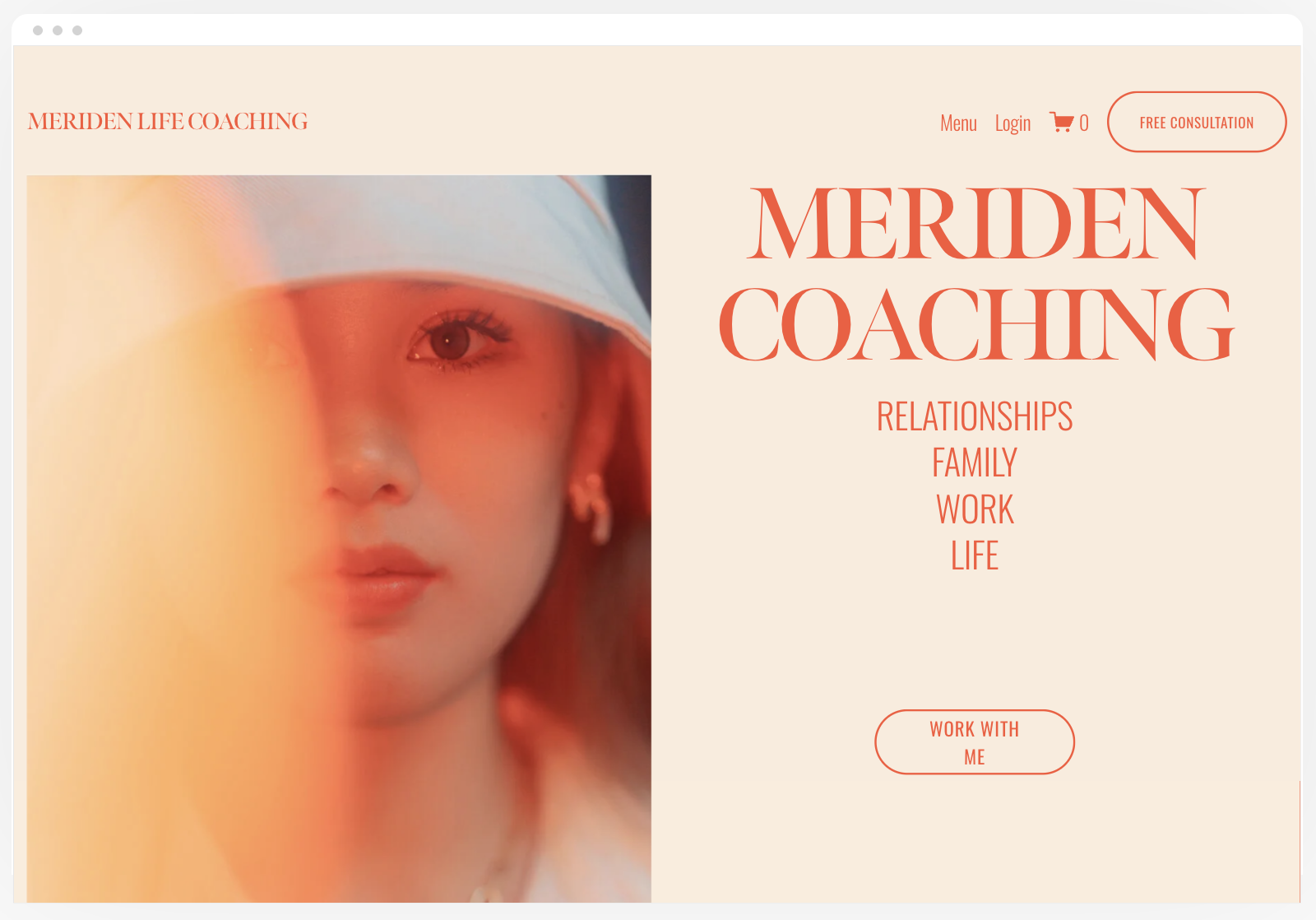
The Meridien website template from Squarespace.
Built for: A life coach
Meriden's demo is set up for a coach, and it shows. Right on the homepage there's a three-step "coaching method" (Focus, Reflect, Refine), which is basically a Process section ready for you to fill in. There's also a spot to promote an upcoming workshop and a newsletter signup.
What I like: The built-in Process section. Every expert has a proven process, and most templates make you build that section from scratch.
What you'll rework: You'll want to add Authority sections (testimonials, results) and make sure your booking CTA is front and center.
Bloom
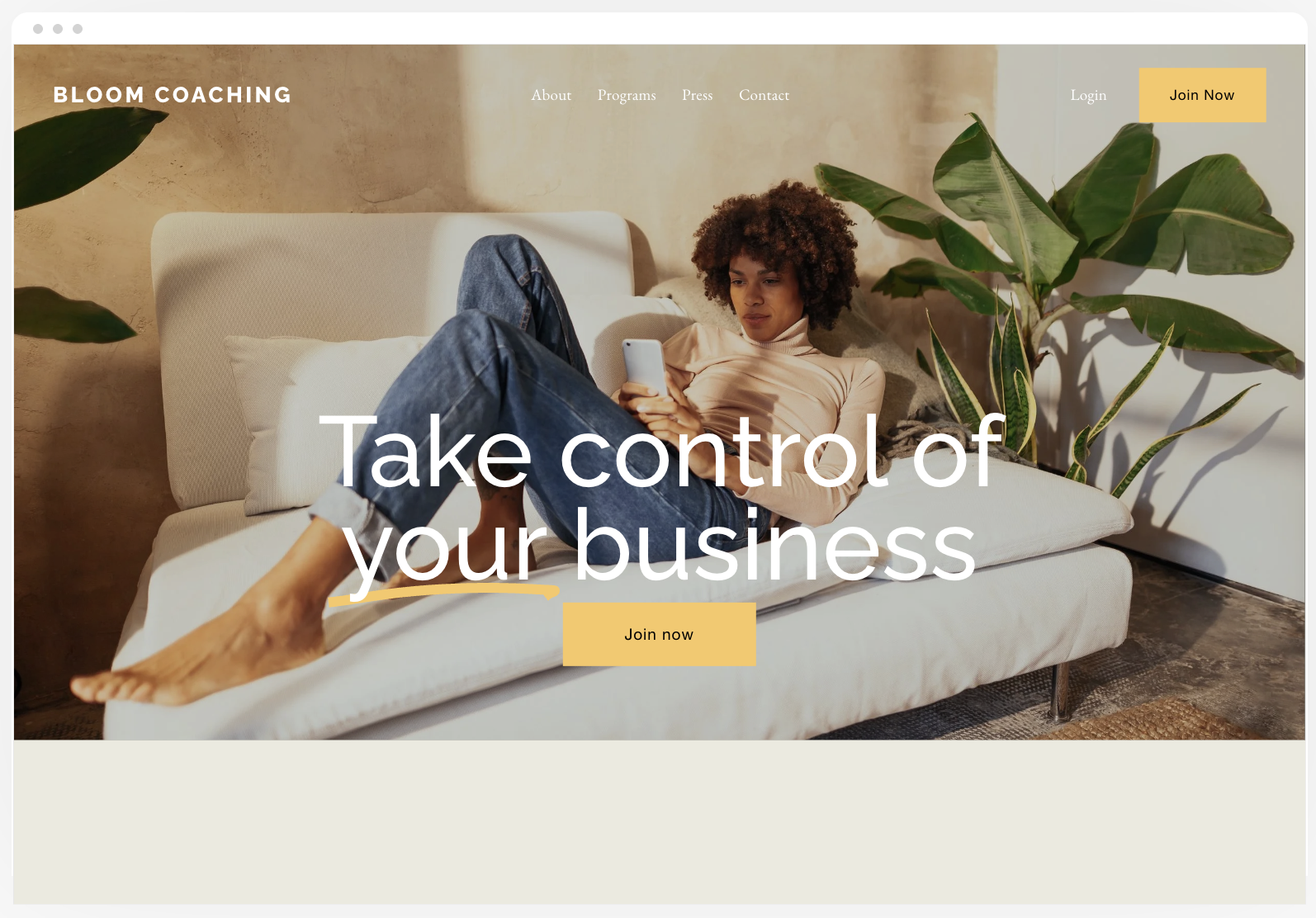
The Bloom website template from Squarespace.
Built for: Coaches selling memberships, courses, and coaching packages
Bloom leans warm and personality-forward. The demo shows membership pricing tiers, service overviews, and testimonials, so it's a good fit if you sell more than one-on-one coaching.
What I like: It already assumes you have multiple offers, with room to show them side by side.
What you'll rework: If you only offer one-on-one coaching, you'll be removing more than you're adding. Also, the template promotes memberships but doesn't set up Squarespace's Member Areas for you. That's a separate step.
Clove
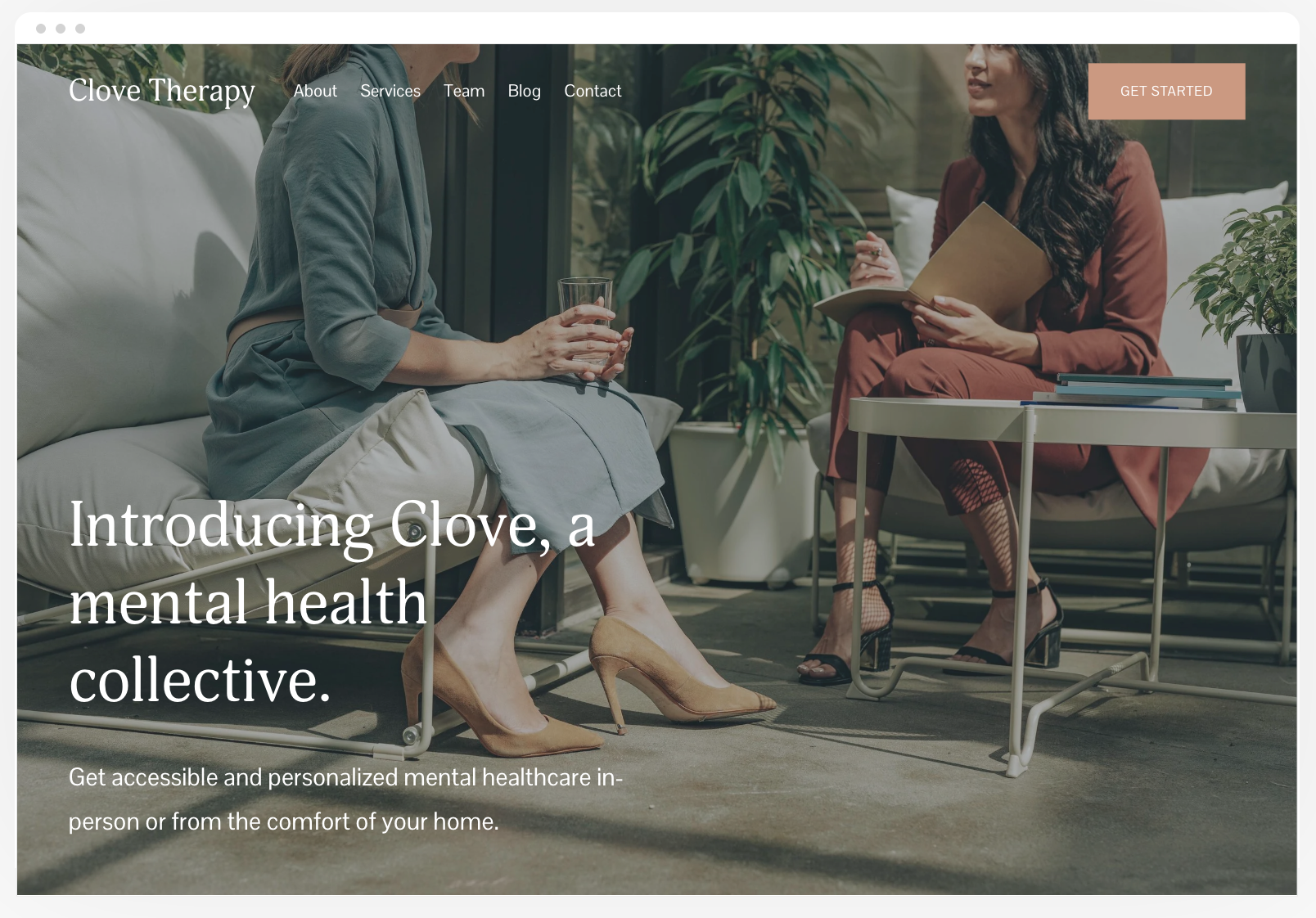
The Clove website template from Squarespace.
Built for: A group therapy practice with multiple providers
Clove has a calm, minimal feel with a full-screen image up top, a team section with bios, and a prominent testimonials area. It's a great fit for coaching collectives, small consulting firms, or anyone who works with a team.
What I like: If you're more than one person, Clove handles a team better than most.
What you'll rework: Solo coaches will need to swap the team section for a single About Me section, and adjust the therapy-oriented demo language.
Myhra
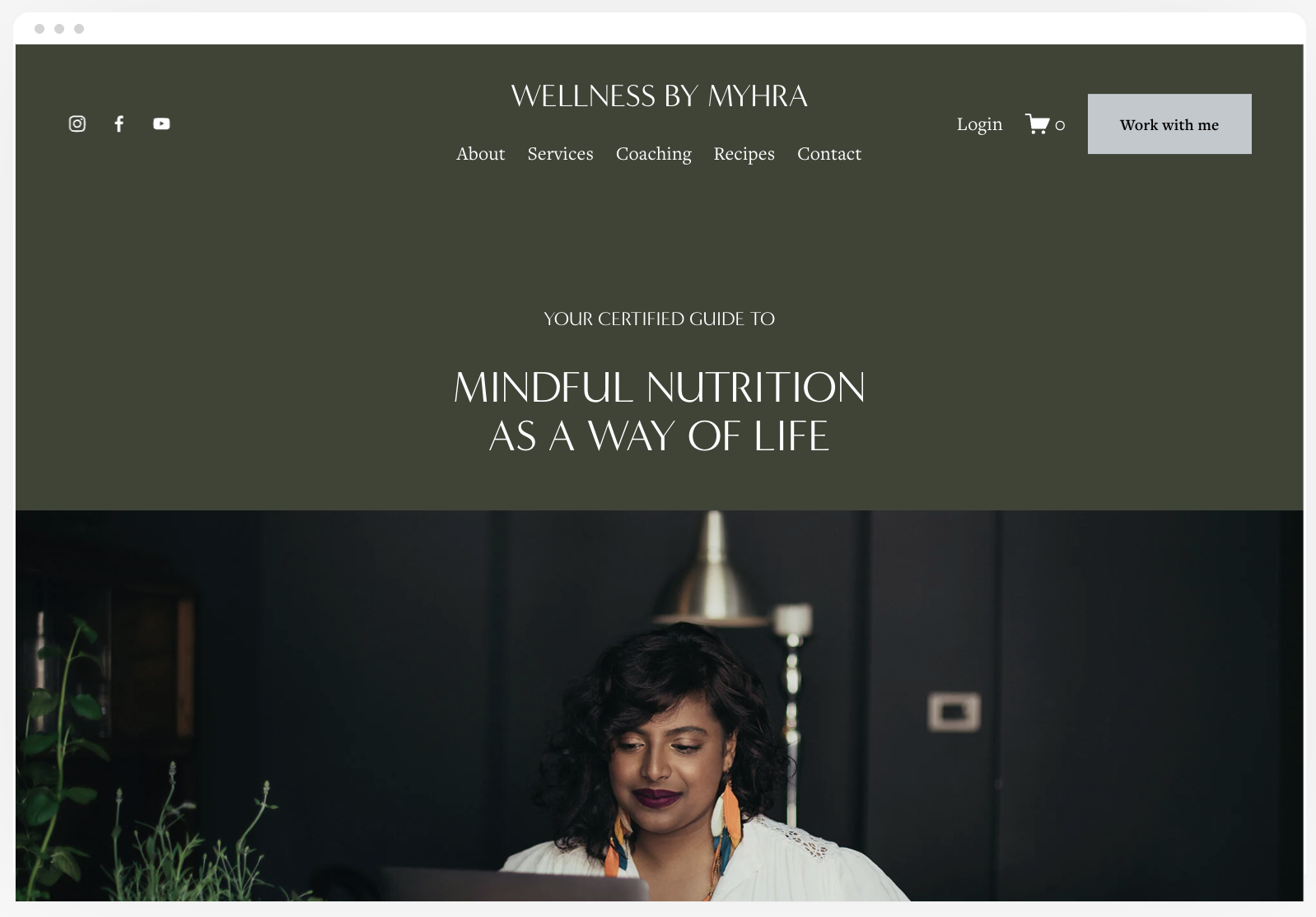
The Myhra website template from Squarespace.
Built for: A wellness coach and nutritionist
Myhra is elegant and calm, with a "Work with me" button right in the header (love that) and a member login. The demo navigation includes About, Services, Coaching, a "Recipes" blog, and Contact.
What I like: The CTA in the header means your next step is visible on every page.
What you'll rework: You'll rename the Recipes blog (or remove it if you're not blogging), and decide whether you really need separate Services and Coaching pages. (Remember: An offer only deserves its own page if it serves a different audience, delivers a different outcome, or follows a different process.)
Laurie
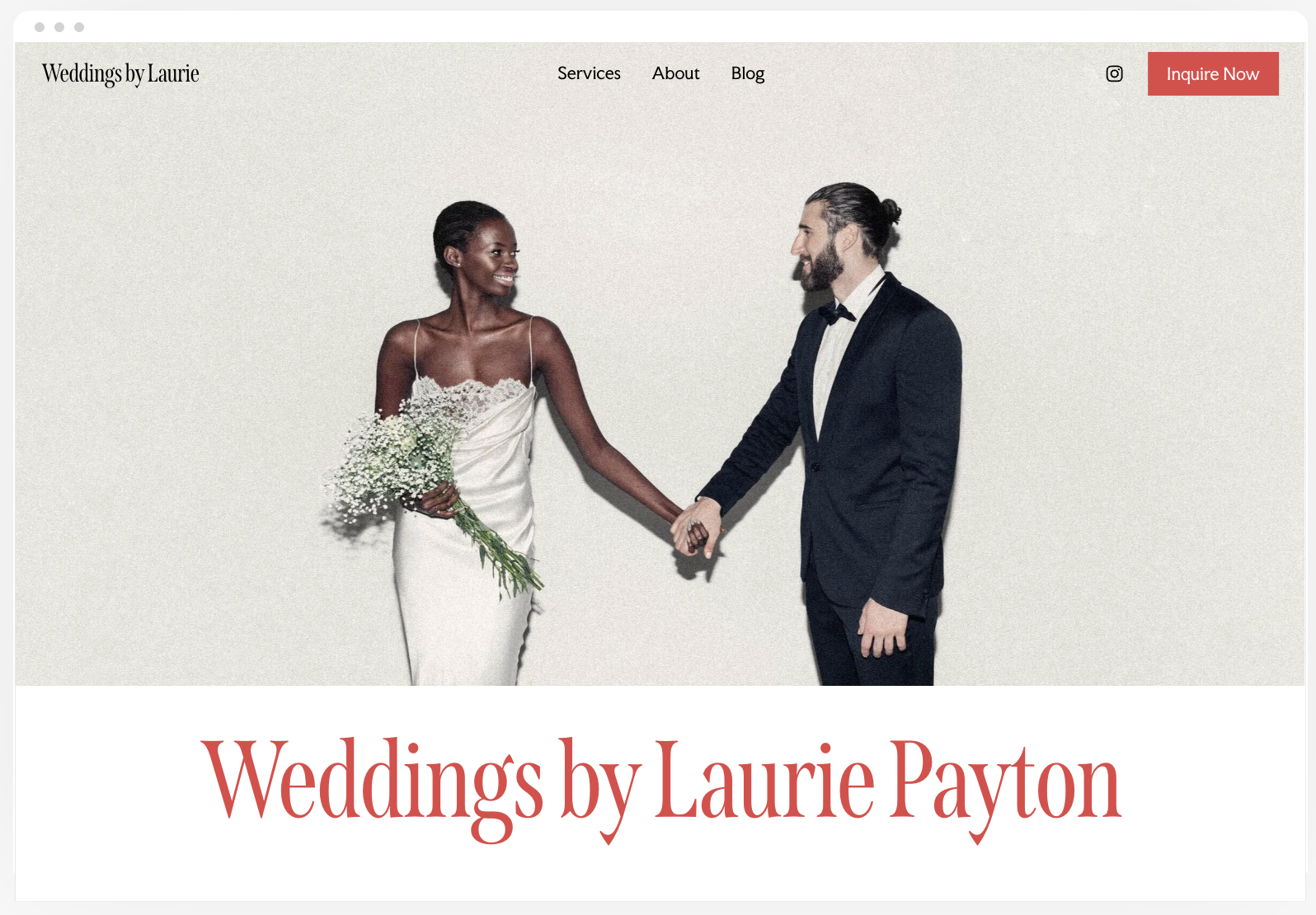
The Laurie website template from Squarespace.
Built for: A wedding planner (stay with me here)
I know, I know. But ignore the wedding photos for a second and look at the bones. Laurie has a "Free consultation" button in the header, an About the Founder section, three service packages, client testimonials, blog posts, and a newsletter signup. That's a service business homepage, done right.
What I like: The structure maps almost perfectly onto a coaching or consulting site. Free consultation becomes "Book a Free Fit Call," packages become your offers, and you're off to the races.
What you'll rework: All the imagery and copy, obviously. But the structure is doing the heavy lifting.
That last one is a good lesson for choosing any template, by the way: Pick for structure, not for the demo photos. Photos and colors are the easiest things to change.
Free Templates: The Verdict
Pros:
Included with your Squarespace plan, so no extra cost
Professionally designed and mobile-friendly
Huge variety, so you can find a style you love
Cons:
They're built for everyone, which means they're not built for you. Expect to spend time removing, renaming, and rearranging.
No strategy included. You're on your own for deciding which pages and sections you need.
No copywriting help. You'll be writing from a blank page. (And writing the words is usually the hardest part.)
Lots of other people use them, so your site may look familiar to visitors.
Best for: Coaches in their first year, with one offer and a tight budget, who are comfortable figuring out the strategy themselves.
Option 2: Squarespace Blueprint AI
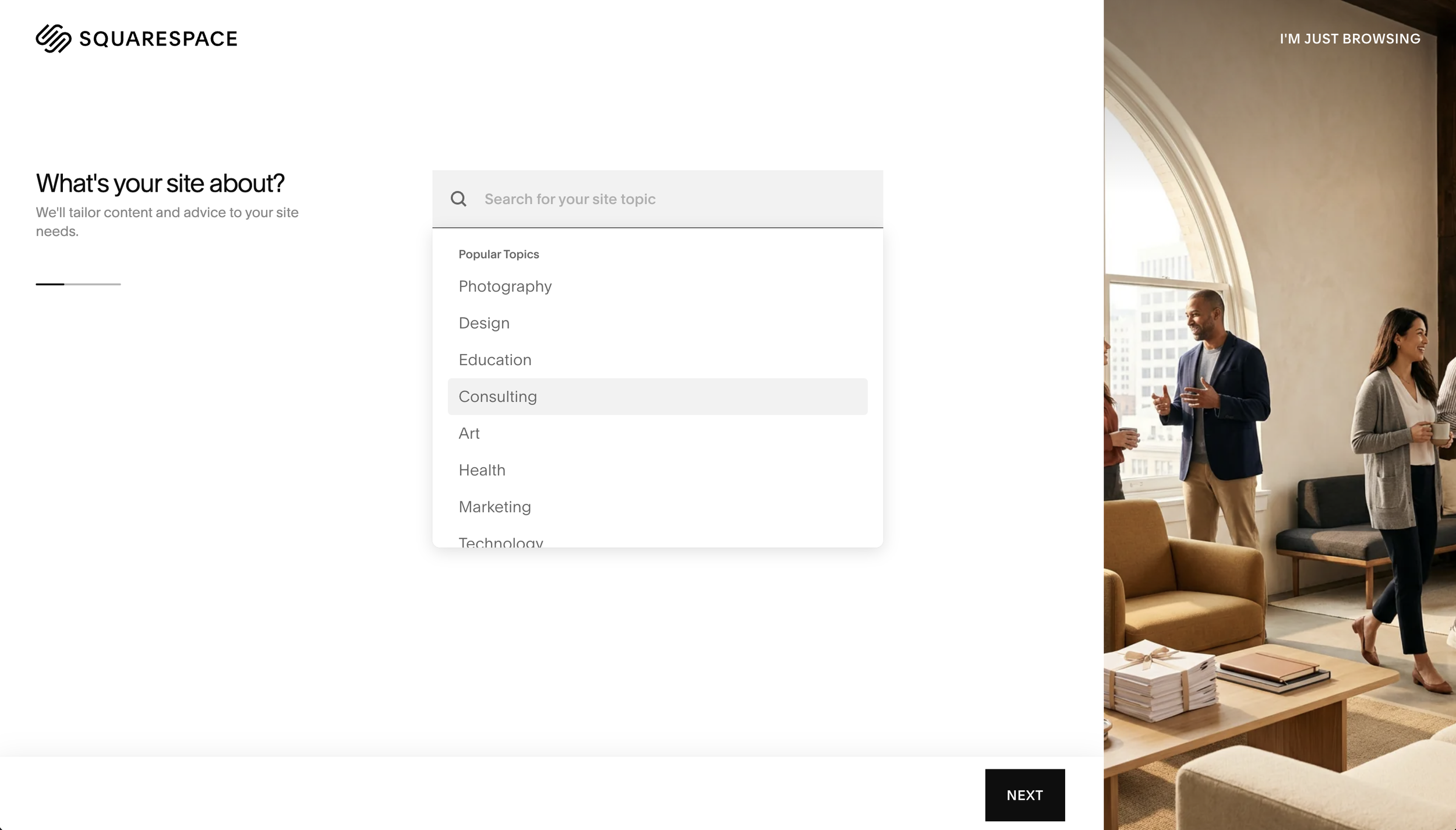
Squarespace’s Blueprint AI interface.
Blueprint AI is Squarespace's AI website builder. Instead of choosing a template, you answer questions and it builds a site for you. You'll see it offered right alongside the templates when you start a new site. (Squarespace's template library even has a "Templates made for you" row now, powered by Blueprint AI.)
How it works:
Answer guided questions about your goals, brand, and content.
Choose your pages from Blueprint's recommendations.
Pick a color palette and font pairing matched to the brand personality you chose.
Let it generate your site, complete with layouts and AI-written starter content.
Edit everything from there, just like a template.
Blueprint is free to play with, but you'll need a paid Squarespace plan to publish.
Pros:
It's fast. You can go from nothing to a full draft in minutes.
It gets you past the blank canvas, which is exactly where a lot of website projects freeze.
The design guardrails are good. The color and font recommendations are solid, and they keep you from the "five fonts and a rainbow" problem.
Cons:
It doesn't know your audience. It only knows what you typed into a box. The copy tends to come out general, and general is forgettable. "I help people unlock their potential" isn't going to land you any clients.
It tends to suggest more pages than you need. More pages means more to write, more to maintain, and more chances to never launch.
It gives you a site, not a strategy. It doesn't know your sales process, so it can't build pages that guide visitors toward the next step in it.
Best for: Coaches who want a quick visual starting point and are confident they can do the strategy and copywriting on their own.
My take: Blueprint AI is a perfectly good first draft. Just don't confuse it with a finished site.
Option 3: Premium Template Kits
Premium templates are made by independent designers and studios, usually for a specific type of business. You buy one, it gets installed in your Squarespace account, and you customize it from there.
But not all premium templates are created equal. Some are just a prettier layout. The ones worth paying for come with the stuff free templates and Blueprint AI don't: strategy, copywriting help, and someone to ask when you get stuck.
Launch It & Love It Template Kits
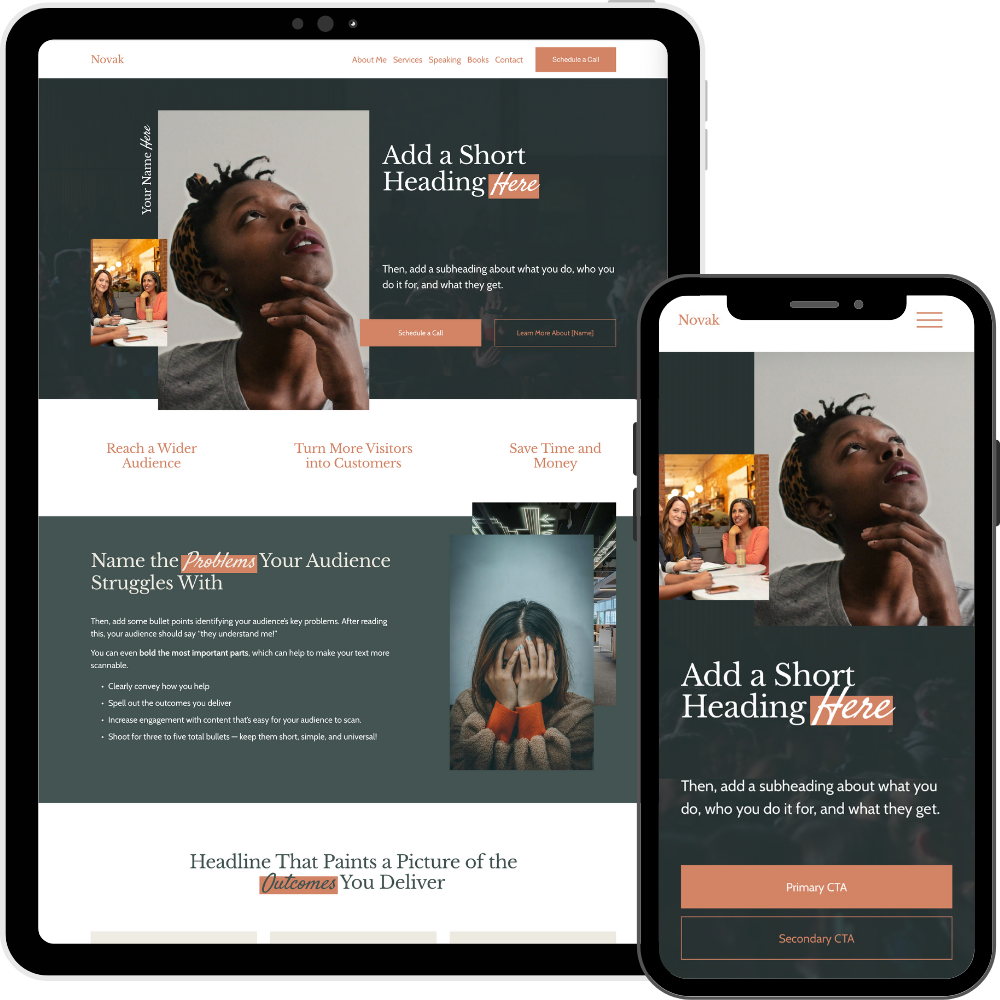
The Novak Template Kit by Launch It & Love It.
Okay, here's where I talk about my own templates. I'll keep it factual.
Launch It & Love It has three kits, all built for Squarespace 7.1 and designed specifically for coaches, consultants, and professional speakers:
Alto: Clean and professional
Novak: Stylish, bold, and dynamic
Kelly: Vibrant, modern, and lifestyle-driven
Every kit is built on The Launch Framework, so the strategy is already baked in. Here's what you get:
Your template, installed for you by our team within one business day
19 pages: the five core pages, plus 14 optional pages like Speaking, Books, Blog, Events, a lead magnet opt-in page, an Instagram link page, custom 404 pages, and thank you pages (with next steps, not dead ends)
Short video lessons that walk you through customizing your colors, fonts, and images
A fill-in-the-blank copywriting guide with prompts for every section of your site
90 days of email support for when you get stuck
An extended six-month Squarespace trial, plus 20% off your first year when you launch
Kits are $495. If you want hands-on help, a kit plus a Done-With-You Day is $1,295. You upload your content, then we meet for a two-hour Zoom session to finish your site together. Most folks are ready to launch by the end of it.
Pros:
Strategy included. You're not guessing which pages and sections you need.
Copy help included. The writing goes from the hardest part to (dare I say) the fun part.
Support included. Someone's got your back.
Fastest path to launch. Most people launch within a few days.
Cons:
It costs more than a free template or Blueprint AI.
You still have to do the work of writing your copy and customizing your site (unless you add the Done-With-You Day).
It's built for coaches, consultants, and speakers. If you're a restaurant, this isn't for you. (But if you're a restaurant, why are you reading this?)
Best for: Coaches and consultants who are charging premium rates, want a site that looks as credible as they are, and would rather follow a plan than figure it all out alone.
So Which Is Right for You?
Here's the quick version:
Choose a free template if you're just starting out, have one offer, and are comfortable doing your own strategy and writing.
Choose Blueprint AI if you want a fast visual draft and you're confident you can rework the pages and copy yourself.
Choose a premium kit if you want strategy, copywriting help, and support so you can launch quickly and confidently.
And if none of these sound right because you'd rather hand the whole thing off? That's what our two-week Website Intensives are for.
Whatever You Choose, Do This
No matter which path you pick, run your starting point through The Launch Framework before you launch:
Pages: Make sure you have your five core pages. Cut anything that doesn't justify its existence.
Sections: Make sure each page tells people what it is and who it's for, builds trust, and gives them a clear next step.
Elements: Make sure your text, imagery, and buttons work together in a way that's logical and easy to scan. Keep body text short, make headings actually say something, and put buttons where readers naturally look for their next step.
Then launch. Seriously. Your website isn't written in stone. Copy can be refined, photos can be swapped, and new pages can be added as your business grows. A good site that's live beats a perfect site that's still "almost ready."
Ready to Launch?
If a premium kit sounds like your speed, browse the Launch It & Love It template kits and check out the live demos. Not sure which path is right for you? Book a free call and we'll figure it out together.
You've got the expertise. Let's get you a website that matches it.

Hi, I'm David!
I've poured my 20+ years professional web design experience into delivering Website Intensives and Website Template Kits designed to help thought leaders (coaches, consultants, professional speakers) get the website they've always wished they had.